
Best Video Transfer Services in Manhattan,
NYC, NY. |
 |
Video to DVD, Video Tape to Digital in New York. |
Index
 Video tape to DVD - Price List
Video tape to Quick Time (.mov) file . Video to digital file (mp4)
PAL (European) to NTSC (USA) conversion.
How long does it take to copy video to DVD? - single tape could be ready as early as
next day.
Cassette tape to CD
How
to place order with us
Store
Location and Hours
Contact us
 Video
Transfer Services Q & A
Video
Transfer Services Q & A  - Store
info, How
to Edit DVD, Private
Tape to DVD, etc.
- Store
info, How
to Edit DVD, Private
Tape to DVD, etc.
We understand the importance of your Video tapes. It's simply irreplaceable.
All Video copy work done in house at our NYC studio.

No tape will be sent out for audio and video digital conversion!
 Zero chance of your precious tapes lost by outsourced.
Your Video tapes stay with us all the time here in New York City Lab.
Why Wait?
You don't have video tape player anymore,
You don't have camcorder anymore,
Your tapes are getting disappearing day by day.
Soon or later you've got to digitize it - sooner is better!
Digitize them today for your archive.
If you prefer computer digital movie file than DVD video disc- please see here.
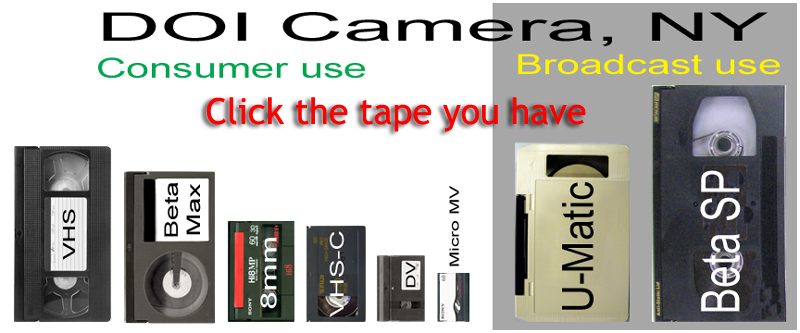
You can't find the video tape you
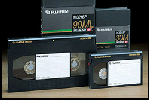
have? - see More Video Tape
Types


 |
Doi Camera Location & Hours - here |
|
Video transfer services
at our Manhattan, NYC lab.
|
|
 |
 Your tapes stay at our New York Lab throughout the process.
Quick turnaround time (same day or next day transfers will be available).
Privacy kept tight. See our Confidentiality
/ Non-Disclosure Agreement.
State of the art Equipment
and Professional
DVD media.
Your tapes stay at our New York Lab throughout the process.
Quick turnaround time (same day or next day transfers will be available).
Privacy kept tight. See our Confidentiality
/ Non-Disclosure Agreement.
State of the art Equipment
and Professional
DVD media. |
Our price is very simple and straightforward. All inclusive except tax.
|
Video to DVD conversion in Manhattan, NYC
|
||||||||||||||||||||||||||||||||||||||||||||||
|
|||||||||||||||||||||||||||||||||||||||||||||||
 |
 |
 |
|||||||||||||||||||||||||||||||||||||||||||||
 |
 |
 |
|||||||||||||||||||||||||||||||||||||||||||||
 New Lower Prices
|
We
respect copyright laws. By submitting your tape or any other material, you agree to: 1. Leave Doi Camera and its affiliates free from copyright violations. 2. You shall indemnify and hold Doi Camera and its affiliates against any claim, damage, loss, liability or expense arising out of, relating to or in connection with the copyright issue of your item(s). |
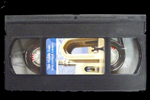
VHS and VHS-C Tape to DVD transfer |
 |
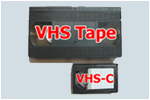 |
VHS tape |
 |
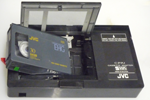 |
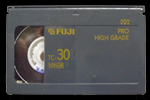
VHS-C tape |
Price
A VHS tape DVD or VHS-C tape to DVD transfer is $19.95 per tape.
Quantity discounts are available.
Please check our New Low Prices
If you don't want DVD video, instead need Digital movie file for PC, Mac, Tablet or Smart Phone,
please see here.
Turn
around time:
Video tape conversions will
be processed at our studio here in Manhattan, New York City.
Your tape will stay with us from the beginning to the end of digital video
conversion process.
Turnaround time is very quick. Please see here.
How
to place an order with us:
 How
to place an order with us
How
to place an order with us
Video Tape Repair
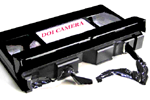 |
We will fix broken video tape, as long as the tape is
salvageable. 1. We only work on VHS tape, 8mm tape, DV tapes (not audio cassette tape). 2. The fixed tape must be transferred to DVD video (we don't offer tape repair only service). 3. Price is from $15.00 per tape, on top of transferring fee. |
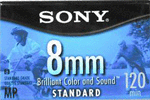
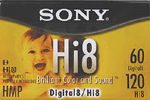
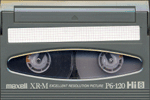
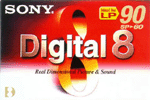
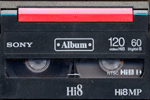
8mm, Hi8 and Digital 8 Tape to DVD Transfer |
 |
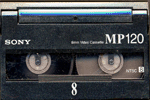 |
Video8 | |
 |
 |
Hi 8 | |
 |
 |
Digital 8 | |
 |
 |
Price
An 8mm, Hi 8 & Digital 8 tape to a DVD transfer is $19.95 per tape.
If you have 5 and more tapes, quantity
discounts are available. Please check
our New Low Prices
No DVD player? You want a digital file from 8mm tape? No Problem.
If you need Digital movie file for PC, Mac, Tablet or Smart Phone,
please see here.
Turn
around time:
Video tape conversions will
be processed at our studio here in Manhattan, New York City.
Your tape will stay with us from the beginning to the end of digital
video conversion process.
Turnaround time is very quick. Please see here.
How
to place an order with us:
How
to place an order with us
Video
Transfer Services Q & A - Store
info, How
to Edit DVD, Private
Tape to DVD, etc.
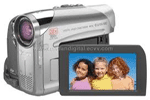
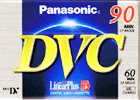
Mini DV (DVC) Tape to DVD transfer |
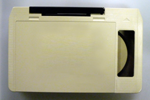
Our equipment for your DV, DVC & mini DV tape conversion Price No DVD player? You want a digital file from DVC tape? No Problem. Turn
around time:
How
to place an order with us: |
|||||||||||
Video
Transfer Services Q & A - Store
info, How
to Edit DVD, Private
Tape to DVD, etc.
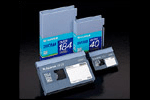
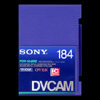
DV Cam Tape to DVD transfer
 |
 |
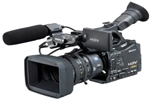 |
Min and Standard DV Cam tape recorded in DVCam format to DVD transfer
is $29.95 each.
We convert DV Cam tape to DVD, but are not handling DVC Pro tapes.
(There are three
different recording systems on mini DV tape).
| Tape |
All use the same mini DV tapes |
||
| Do we process? |
Yes  |
No |
|
| Main users |
Consumers |
Consumers / Pros |
Pros |
| Recording system |
DV |
DV Cam |
DVC Pro |
| Camera |
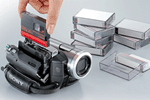 |
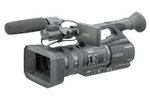 |
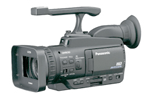 |
| Logo |
 |
 |
 |
| Manufactures |
Many such as Sony, Panasonic, Canon JVC, Samsung, Sanyo and others. |
Sony, Canon, JVC |
Panasonic only |
| Other sizes than mini DV? |
No |
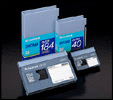 |
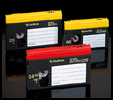 |
| Convert to DVD | $19.95 (q'ty discounts) |
$29.95 per tape |
We don't handle. |
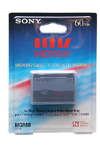
Micro MV Tape to DVD transfer (Currently not available) |
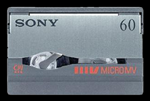 |
Micro MV tape / Micro MV tape |
||
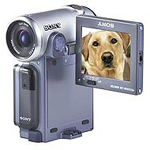 |
 |
||
|
Micro MV tape was the smallest video cassette tape ever, it is smaller than Mini DV tape.
|
|||
| Prices for Micro MV tape to DVD conversion services | |
|
|
Micro MV tape to DVD transfer is $19.95 each
|
 |
NTSC Micro MV tape only. |
Turn
around time:
Video tape conversions will
be processed at our studio here in Manhattan, New York City.
Your tape will stay with us from the beginning to the end of digital video
conversion process.
Turnaround time is very quick. Please see here.
How
to place an order with us:
How
to place an order with us
Video
Transfer Services Q & A - Store
info, How
to Edit DVD, Private
Tape to DVD, etc.
BetaMax tape to DVD transfer |
|
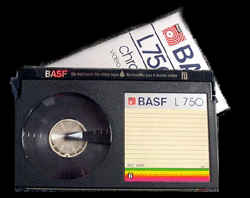 |
NTSC
(USA BetaMax tape) only |
BetacamSP Tape to DVD Transfer |
|
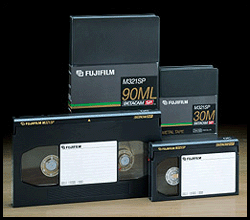 |
NTSC (USA BetaSP tape) only. We don't handle Digital Beta. ( Professional Video Tape Comparisons ) $39.95 each for DVD video Disc $39.95 each for Digital file. Note: BetaSP tapes will be outsourced for specialized lab for best quality digital conversion. Takes about 3 weeks. |
U-Matic Tape to DVD Transfer |
|
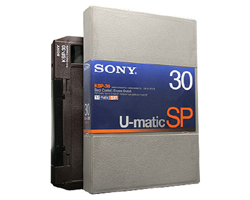 |
NTSC (USA U-Matic tape) only.
Note: U-Matic tapes will be outsourced for specialized lab for |
Convert Video tape to MP4 or other Digital Files in NYC. |
|
 |
Convert Video tape to digital file so you can view or edit on computers. |
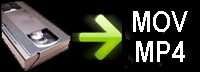 Transfer Digitize video tape to MP4 or other digital video format.
 Convert PAL tape to Digital file such as MP4 or other digital video format.
Video
Transfer Services Q & A - Store
info, How
to Edit DVD, Private
Tape to DVD, etc.
| Prices | |
| NTSC (American TV system) | |
 |
VHS, VHS-C, 8mm, Hi8, D8, mini DV - $29.95 per tape (up to 2 hours). |
|
BetaSP, BetaMax, Full size DV tape - $39.95 per tape(up to 2 hours). |
|
U-matic(3/4" tape) - $39.95 per tape. |
| PAL (European TV system) | |
 |
VHS, VHS-C, 8mm, Hi8, D8, mini DV - $39.95 (up to 2 hours) |
 |
Full size DV tape to Digital File - $49.95
(up to 2 hours) (We are not processing PAL U-matic, PAL BetaSP or PAL BetaMax) |
|
Note |
|
| 1. | A longer than 2 hours tape will be charged additional
$29.95($39.95) per two hours. ex. a 4 hours tape to .MOV file will be $29.95 x 2 = $59.90, $39.95 x 2 = $79.90 |
| 2. | Digital Video Files will be saved to disc (CD or DVD)
or external hard drive. Please provide your hard drive if you want us to save MP4 or MOV files to hard drive (please see here for more details). Because of the security reason, we don't save MP4 or MOV files to your USB thumb drive. |
| 3. |
We are not offering Apple Prores4.2.2 or Uncompressed digital files. |
| 4. | We don't send video files via E-mail or uploading to Website such as YouTube, Facebook, DropBox, FTP or iCloud. |
|
|
|
How to choose best digital video file format for your project.
This video will help you understand basics of digital movie files.
|
The "digital video file" is not one
and only.
* MOV = Quick Time file. Will play on Windows PC with Quick Time Player for Windows. Convert video tape to Digital file for viewing on PC, Mac,
iDevice, tablet or smart phone.
|
|||||||||||||||||||||||||||||||||||||||||||||||||||||||||||||||||||||||||||||||||||||||||||||||||||||||||||||||||||||||||||||||||||||
 Windows
 Mac
Mac



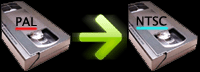
PAL(European) Tape to NTSC(American) DVD conversion in NYC.
PAL to NTSC conversion
NTSC to PAL conversion
PAL tape to PAL DVD copy
Video
Transfer Services Q & A - Store
info, How
to Edit DVD, Private
Tape to DVD, etc.
PAL to NTSC conversion |
|
 |
|
| PAL (European tape, Russian tape, African tape) to NTSC (American) DVD Transfer | |
|
If you have an European tape, Russian tape, African tape or South
American tape, and want to make a DVD that will play here in the
US, the tape must be changed from PAL or SECAM to NTSC TV(American)
system. We convert following PAL tapes to
NTSC (USA) DVD: Some of PAL tapes we don't handle are: Price: Turn
around time:
How
to place an order with us:
|
|
 |
PAL VHS Tape to NTSC DVD Transfer |
|
PAL VHS tape and SECAM VHS tape to NTSC DVD conversion. Price:
|
|
 |
PAL mini DV Tape to NTSC DVD Transfer |
|
PAL mini DV tape to NTSC DVD transfer. Price: PAL Mini DV tapes that we will convert to NTSC (American) format
are:
|
|
 |
PAL 8mm, Hi8, Digital 8 Tape to NTSC DVD transfer |
|
PAL 8mm, PAL Hi8 and PAL Digital 8 tape to NTSC DVD conversion. Price:
|
|
|
Convert PAL tape to Digital file. |
|
Change PAL tapes to computer file - please see
here for details.
|
|
 |
PAL VHS to NTSC VHS tape transfer |
|
Copy
PAL VHS tape to NTSC (American) VHS tape Price:
|
|
 |
PAL DVD to NTSC DVD Transfer |
|
We convert PAL DVD to NTSC DVD, that will play on American DVD
player. PLEASE RESPECT COPY RIGHT. The NTSC DVD we create is free from regional restrictions. Note: When you make a PAL DVD
with a main menu (sub menus), multiple languages, or multiple sub
titles,
|
|
|
Video
Transfer Services Q & A - Store
info, How
to Edit DVD, Private
Tape to DVD, etc. |
|
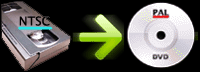
NTSC to PAL Conversion |
|
 |
|
|
If you need to have a US tape converted to a DVD that should play
in Europe, Africa, South America or China, Turn
around time: Price:
|
|
 |
NTSC VHS Tape to PAL DVD conversion |
|
If you are in need for a DVD that should play in Europe from an
American tape, Longer than 4 hour tape subject to $19.95 additional for an extra
DVD.
|
|
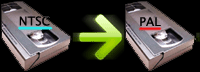 |
NTSC VHS to PAL VHS tape conversion |
|
|
|
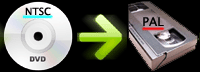 |
NTSC DVD to PAL VHS tape Conversion |
|
|
|
 |
NTSC DVD to PAL DVD Transfer |
|
We convert US DVD (NTSC DVD) to PAL DVD, that you can play in Europe. PLEASE RESPECT COPY RIGHT. The PAL DVD we create is free from regional restrictions. |
|
Video
Transfer Services Q & A - Store
info, How
to Edit DVD, Private
Tape to DVD, etc.
PAL to PAL copy |
|
 |
|
 |
PAL DVD to PAL DVD copy |
|
PAL DVD to PAL DVD copy : $9.95 per DVD (quantity discount available)
|
|
|
Convert PAL tape to PAL Digital file. |
|
Price:
|
|
 |
PAL Tape to PAL DVD conversion |
|
We convert following PAL tapes to
PAL DVD: Some of PAL tapes we don't handle are: |
|
Video
Transfer Services Q & A - Store
info, How
to Edit DVD, Private
Tape to DVD, etc.
DVD Copy, DVD Dupe |
 |
|
| 9.95 per DVD in either
paper or plastic case. Quantity discount available. Ask us. |
|
|
Turn
around time: How
to place an order with us:
|
|
Mini DVD to DVD (regular size) copy |
|
 |
|
|
Single sided mini
DVD to regular DVD: $9.95 per DVD (*1)
|
|
Video
Transfer Services Q & A - Store
info, How
to Edit DVD, Private
Tape to DVD, etc.
DVD to MP3 (DVD Audio to MP3). |
|
 |
|
Disclaimer
Please respect Copy Right.
Under no circumstances, we will make soundtrack CD from commercially made
DVD video.
We will make an audio CD (or MP3 files on a CD) from your
DVD video.
In other word, we will take out audio part from your DVD video and make
a music CD.
DVD to MP3 is a good idea for listening to a video taped lecture, party,
wedding, class, meeting or testimony.
Audio CD can be played on boom box, CD player or PC/Mac computer.
The MP3 files can be listened to on iPod, iPhone or other MP3 players.
Price is $29.95 per DVD.
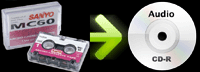
Audio Cassette to CD Transfer |
||
 |
Audio
Cassette to CD Transfer Micro Cassette to CD Transfer Voice Recorder to CD Transfer |
|
Video
Transfer Services Q & A - Store
info, How
to Edit DVD, Private
Tape to DVD, etc.
| LIMIT
OF LIABILITY By submitting film, slide tape or other materials to Doi Camera, an order constitutes an AGREEMENT by you that any damages or loss by our company, subsidiary, or agent, even though due to negligence or other fault of our company, subsidiary or agent, will only entitle you to credit for no more than the cost of new roll of film, scanning or converting the same quantity of materials we received. That is, Doi Camera would charge you $90 to scan your slides or converting tapes, the maximum amount of damage you may claim is limited to $90, if a roll of film or negative is lost, it would be replaced to a new blank roll of film, unless otherwise agreed in writing. Doi Camera will not be liable for any other loss or damage, direct, consequential or incidental to the customer’s use of such services. Doi Camera is not responsible for any material left over 14 business days. All the prices quoted are subject change without notice.. |
 |
|
|
|
|
DOI Camera, NYC: Site
Map |
|||
|
Store Information |
ID Photos |
Digital Conversion |
Scan |
All Rights Reserved